Hi @electricwatches,
Thank you for reaching out to us!
I apologize for the delayed response due to the weekend holiday.
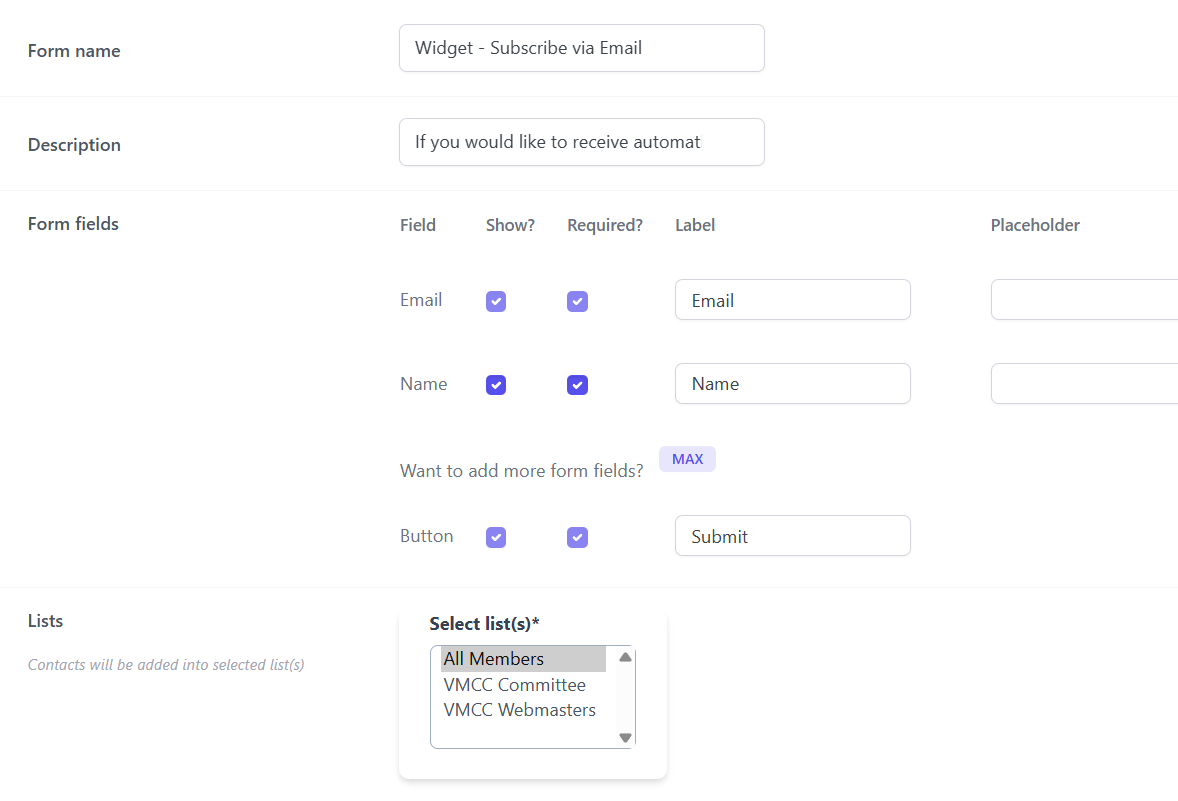
To better understand your queries, could you please share a screenshot of the Icegram Express -> Audience -> Manage List section of the audience page, as well as a screenshot of the form you are currently using?
This information would be helpful for me to fully understand your concerns and provide you with an appropriate solution.
I look forward to your input!
Hi @electricwatches,
Thank you for sharing the screenshot!
After reviewing it, I noticed that you’re currently using the old UI form, which is why the form isn’t working properly on your site.
To resolve this, I recommend removing the old form and creating a new form with the same options as before. Once the new form is created, integrate it into your site and test to confirm if it works as expected.
If the issue still persists after this, please let us know and we’ll investigate further.
Looking forward to your update, and wishing you a very Happy New Year!
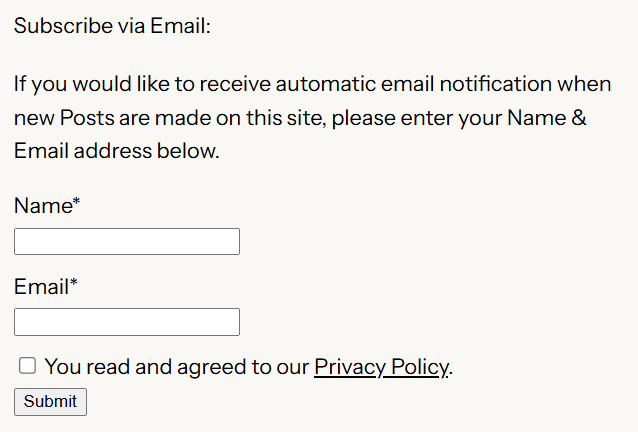
I have done what you asked and created a new form. But the new form seems to have several bugs:
- You have GDPR support but a user cannot put a mark in the checkbox.
- The message “Thank You For Your Submission” doesn’t ever show even though it is enabled.
Hi @electricwatches,
I checked the form on our end, and it’s working as expected with GDPR consent and the thank you message.
This indicates the issue is likely related to the theme or a site-specific conflict. To investigate this properly, let’s continue the discussion via our Icegram support channel.
Our team will be happy to assist you further and take a closer look from there. Also, please don’t forget to include a link to this thread so we can continue debugging from where we left off.
Also, we truly appreciate your support and efforts in using our plugin. I’m confident we can work together to get this sorted and help you make the most of Icegram.
Waiting for your response
Too late I’m afraid. I’ve moved over to another plugin,
Hi @electricwatches,
I completely understand, and I’m sorry we couldn’t resolve this for you in time.
That said, if you’re open to giving us one more chance, we’d really appreciate it. We’ve been actively trying to help, and we genuinely don’t want to lose you as a user. If you could reach out to us once more via our support channel, I assure you we’ll work closely with you and do our best to get this fixed properly.
Thank you for your time and for trying Icegram.
@shubhanshukandani many thanks for coming back to me.
Today, I took another look at the Subscription form. I added it to a new test page and everything worked fine, so I then added it back to my live home page, and it’s now working fine. I cannot explain what caused my problems, but I suspect some CSS issues. Anyway, it is Resolved, so I’m sticking with Icegram Express.
One very minor issue is that the form editor keeps forgetting that I mark the Name field as Mandatory…
Hi @electricwatches,
Thank you for the update! I’m glad to hear that the subscription form is now working properly on your live page. It’s great that everything seems fine after moving it to a test page and back sometimes these issues can indeed be caused by theme or CSS conflicts.
Regarding the minor issue with the Name field not staying marked as mandatory, we’ve been able to replicate it and will be fixing it in the upcoming release, likely by next week.
We truly appreciate your patience and continued support of Icegram Express. If you notice anything else or need assistance in the future, our team is always here to help.